
iCal Instructions
iCal Instructions
Subscribing to Calendar Feeds
Purpose: The below instructions are for those individuals looking to subscribe to iCal calendar feeds for River Lakes Teams of which they do not have a skater actively rostered to the particular team.
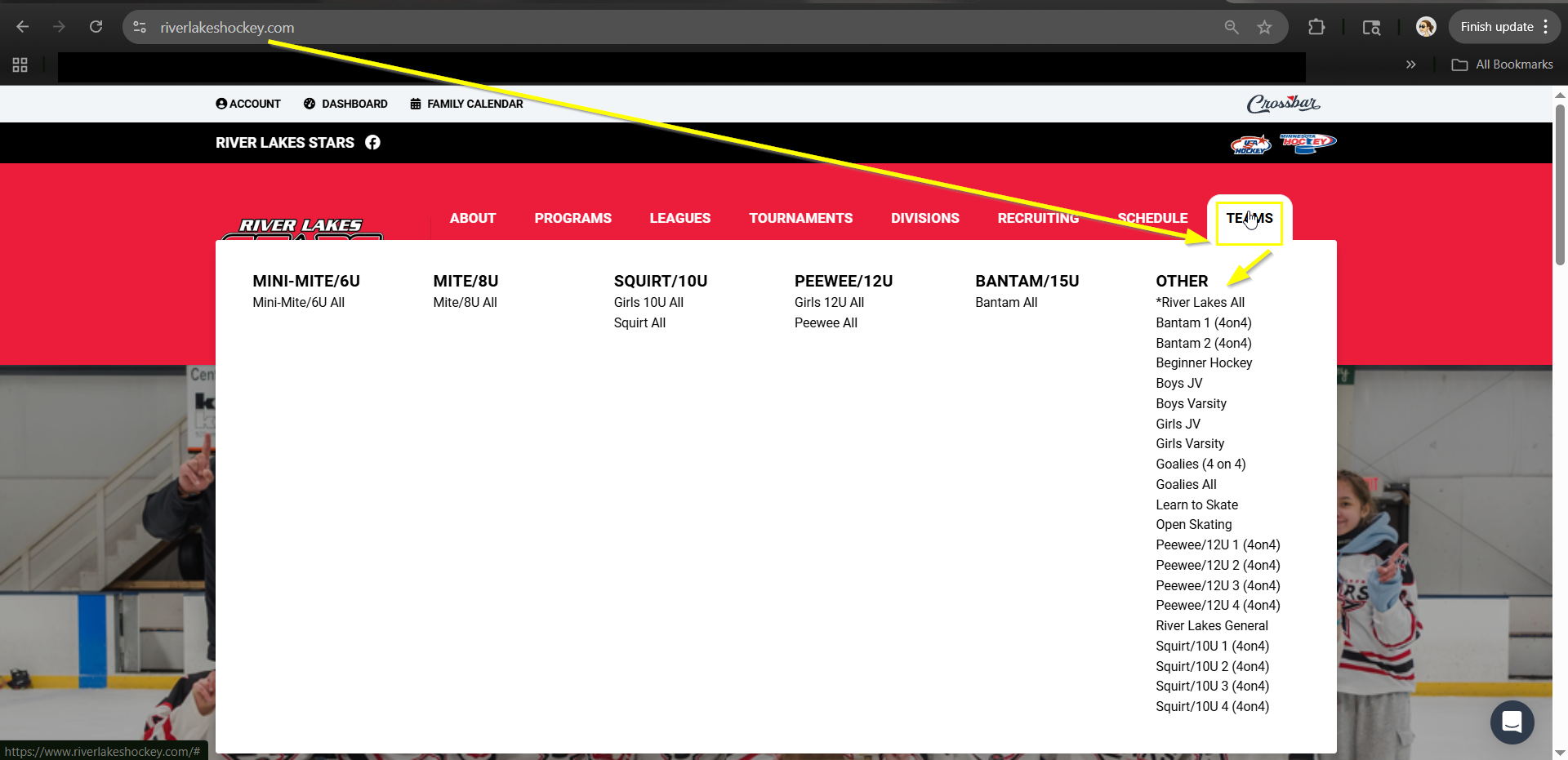
- Navigate to Riverlakeshockey.com
- Navigate to the team you want to subscribe to under “Teams” at the top navigation bar and click on the team to get to that Team’s homepage.
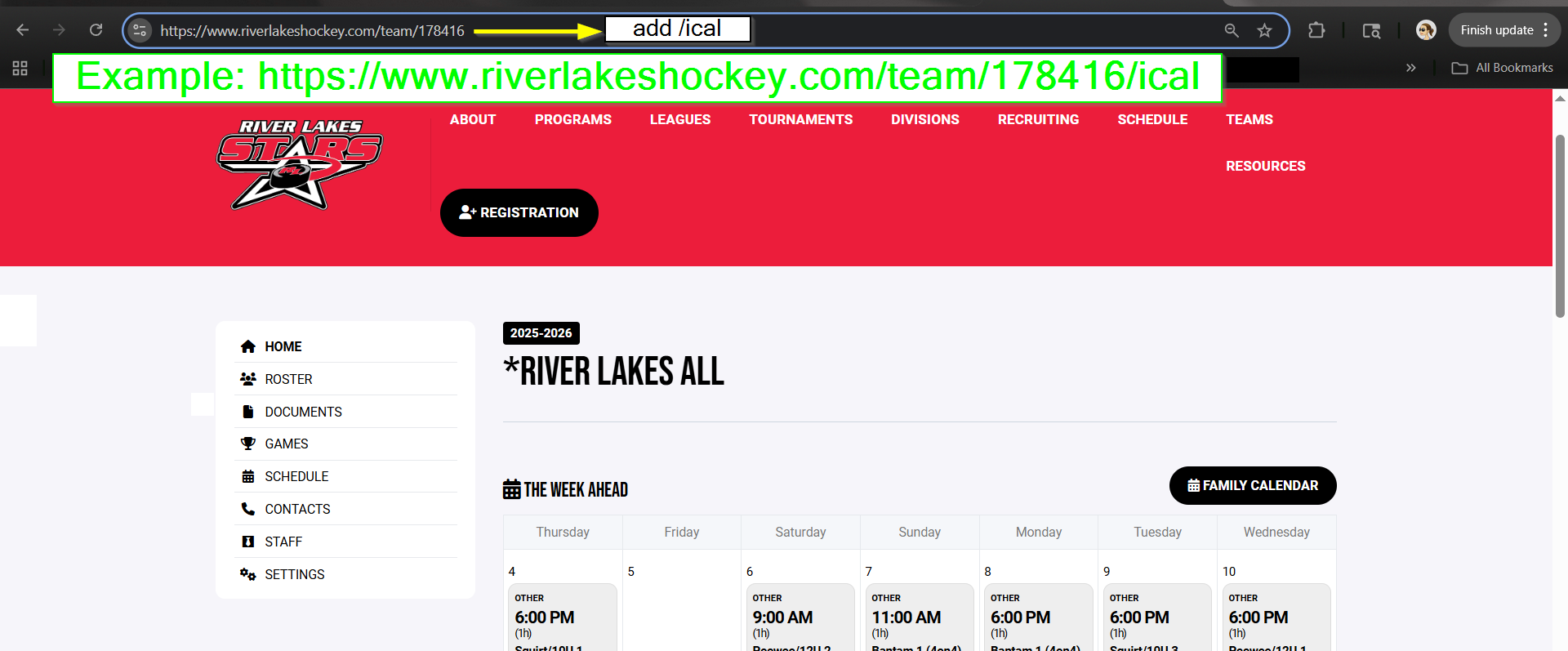
- Once in the Team page, navigate to the URL bar.
- Copy and past the URL for that Team page to a notepad and manually add “/ical” to the end of the URL (note: you need to include a slash and the word ical)
- Then go out to your preferred calendar tool and paste the iCal link accordingly.